
HighLevel
Prospektor writes the pitch. HighLevel runs the follow-up.
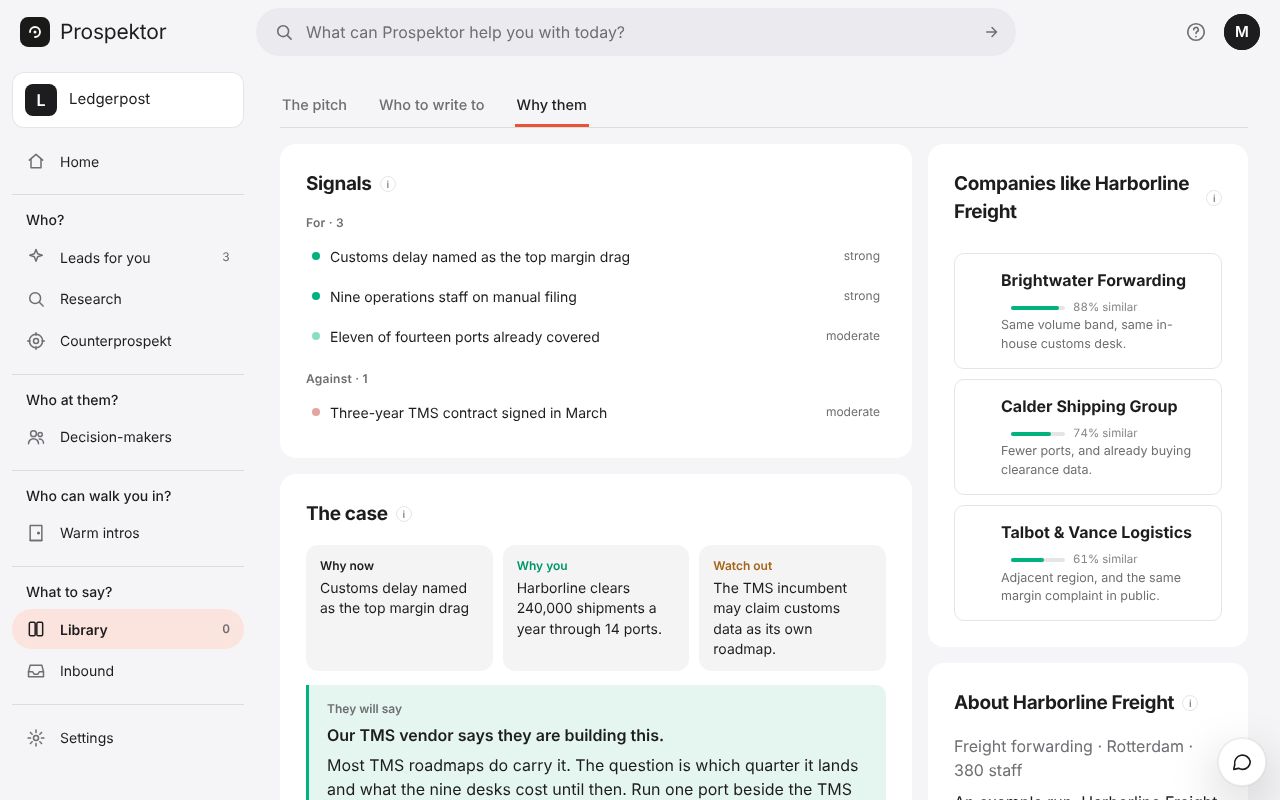
Prospektor finds the companies worth approaching, names who to talk to and writes what you send them, in your voice. One press files all of it in HighLevel, where your follow-up already runs.
Each decision-maker with a work email becomes a Contact with the company's name and website, and the first gets a Note with the case for the company. Anyone already there is found and left as they are.
Every contact we create is tagged prospektor, so a workflow of yours can pick it up: start a sequence, open an opportunity in your own pipeline, assign an owner. The button beside the pitch opens the contact in HighLevel.
- Inside the sub-account, open Settings → Private Integrations, create one with view and edit on Contacts and view on Locations, and copy the token.
- Copy the sub-account's Location ID from Settings → Business Profile.
- Paste both under Connect your apps in your workspace settings, press Connect, then press Push to HighLevel on a finished pitch.
Running an agency? Connect the sub-account of the client you prospect for, and their pitches land in their own HighLevel.