Prepare for a call
One sheet for the call you are about to take: the goal, what to say, what to ask, and the answer to their likely pushback.
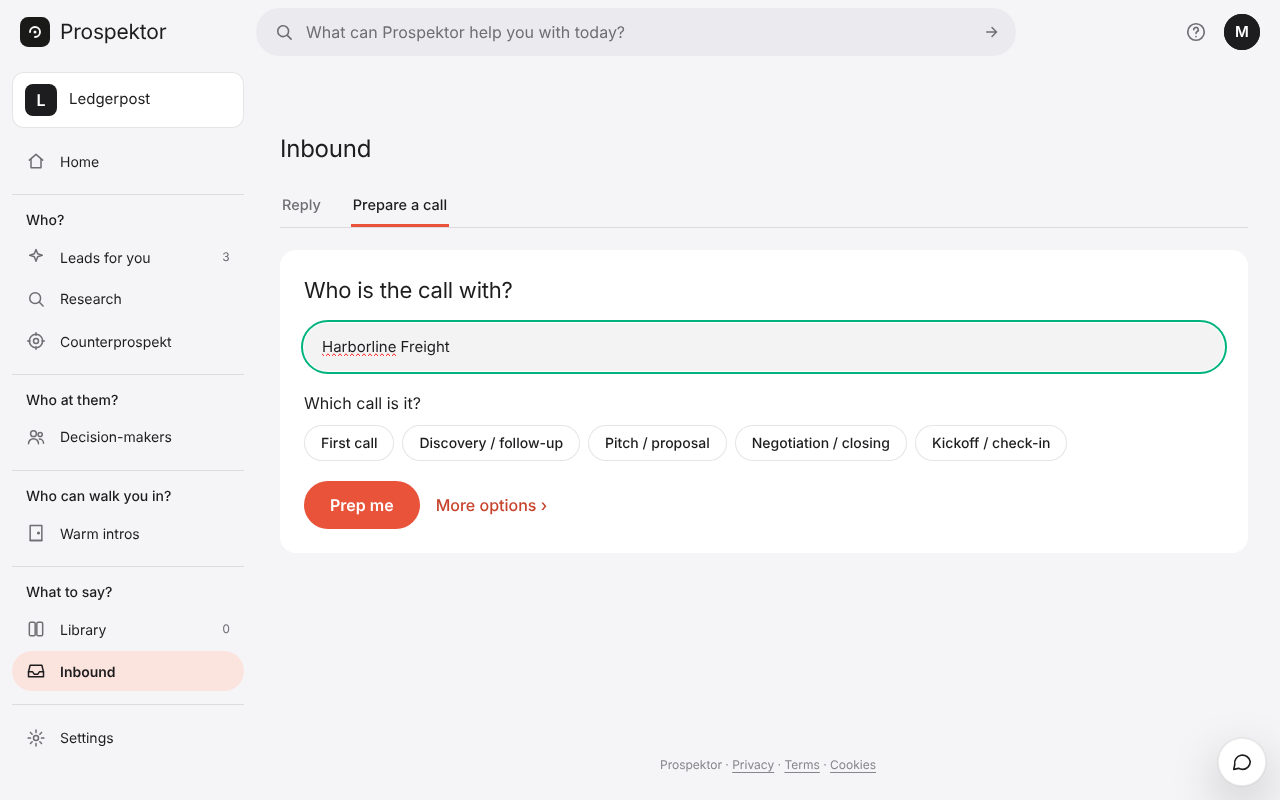
How to do it
- Open Inbound in the menu on the left and press Prepare a call. On a finished pitch, Prep a call in the ⋯ menu opens it with the company filled in.
- Type the company or its website.
- Pick which call it is: First call, Discovery / follow-up, Pitch / proposal, Negotiation / closing or Kickoff / check-in.
- If you like, press More options and add a note about the call.
- Press Prep me. The sheet holds the goal, how to frame it, what to say, what to ask, the pushback with an answer, and how to close.
- Press Copy the sheet to keep it as plain text.
Good to know
- With a pitch already written for the company, the sheet uses its research and lands in under a minute.
- Your sheets are kept under Recent preps on the same screen.
- You can leave the screen while it works.